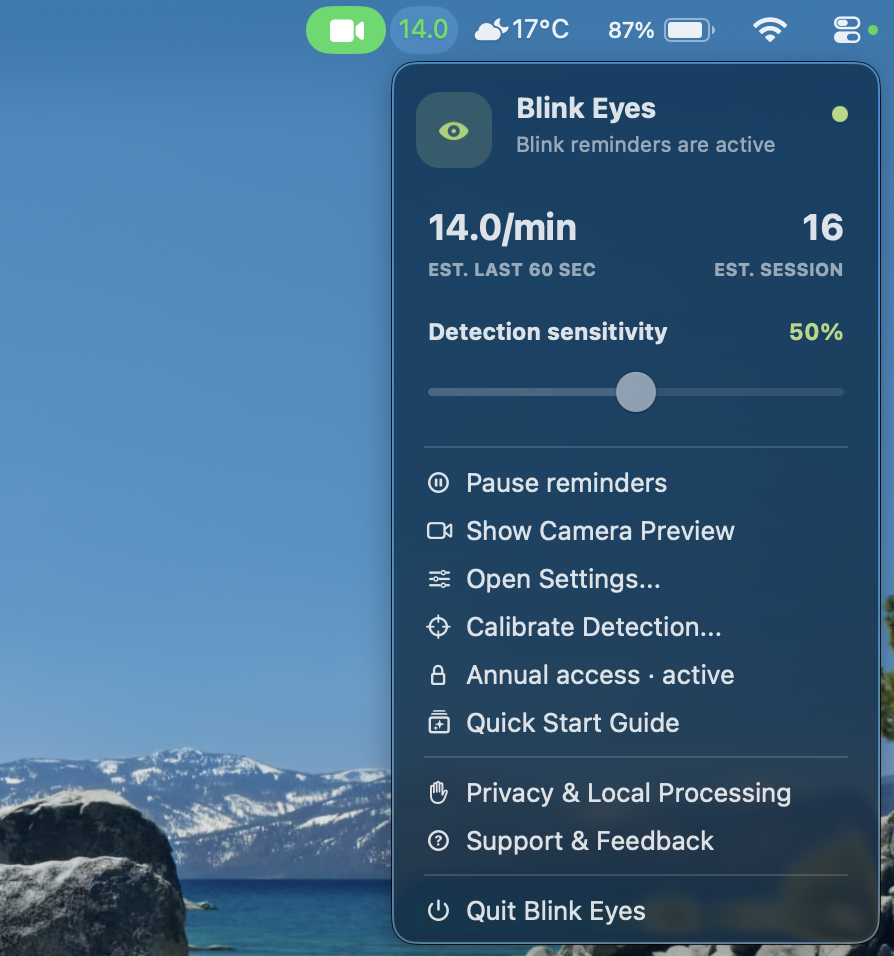
Your recent rhythm, at a glance.
Using your Mac’s camera locally, BlinkTide analyses blinks from the last 60 seconds. It is a live session signal, not a health measurement or a record of your day.
BlinkTide: Eyes in Rhythm
BlinkTide uses your Mac’s camera to observe and analyse your recent blink rhythm locally. It lives quietly in your menu bar, offers a gentle visual cue when you need it, and can remind you to look away.
A calmer screen rhythm
Using your Mac’s camera locally, BlinkTide analyses blinks from the last 60 seconds. It is a live session signal, not a health measurement or a record of your day.
When camera-based analysis finds that you have not blinked for your chosen interval, a gentle cue can appear. Blink to clear it. Add optional background dimming; reminders stay quiet when you step away.
Enable a separate cue to look away from the screen. Choose an interval that suits your routine; it is off until you turn it on.
Open the optional local Preview to check your setup while BlinkTide is running. Lighting, glasses and head position can affect the estimate.
Settings & privacy
Set BlinkTide up around the way you work, then keep the controls close at hand from the menu bar.
The optional live Preview and guided calibration help you check the setup. Calibration values and estimates stay in memory for the current session.
Setup help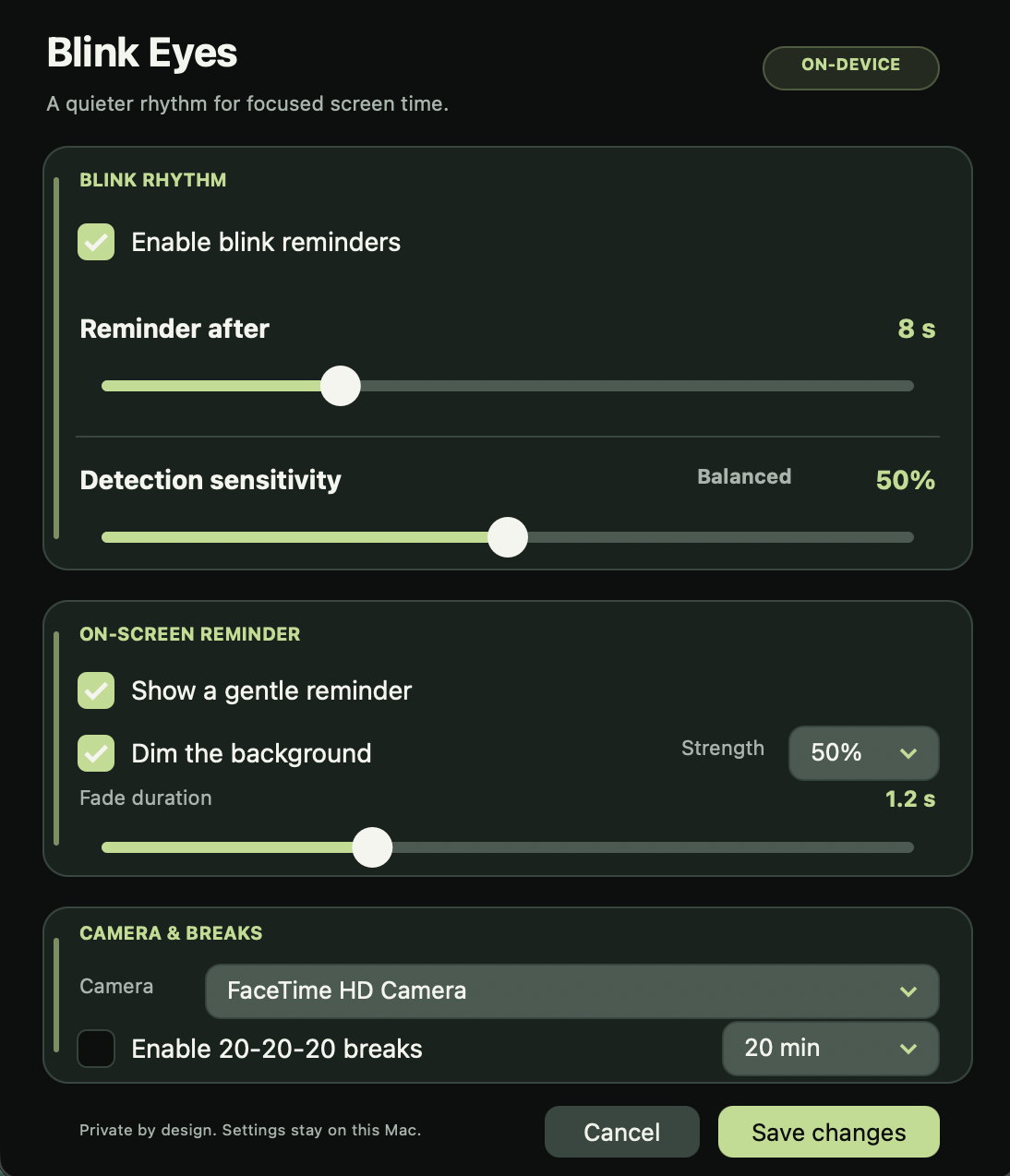
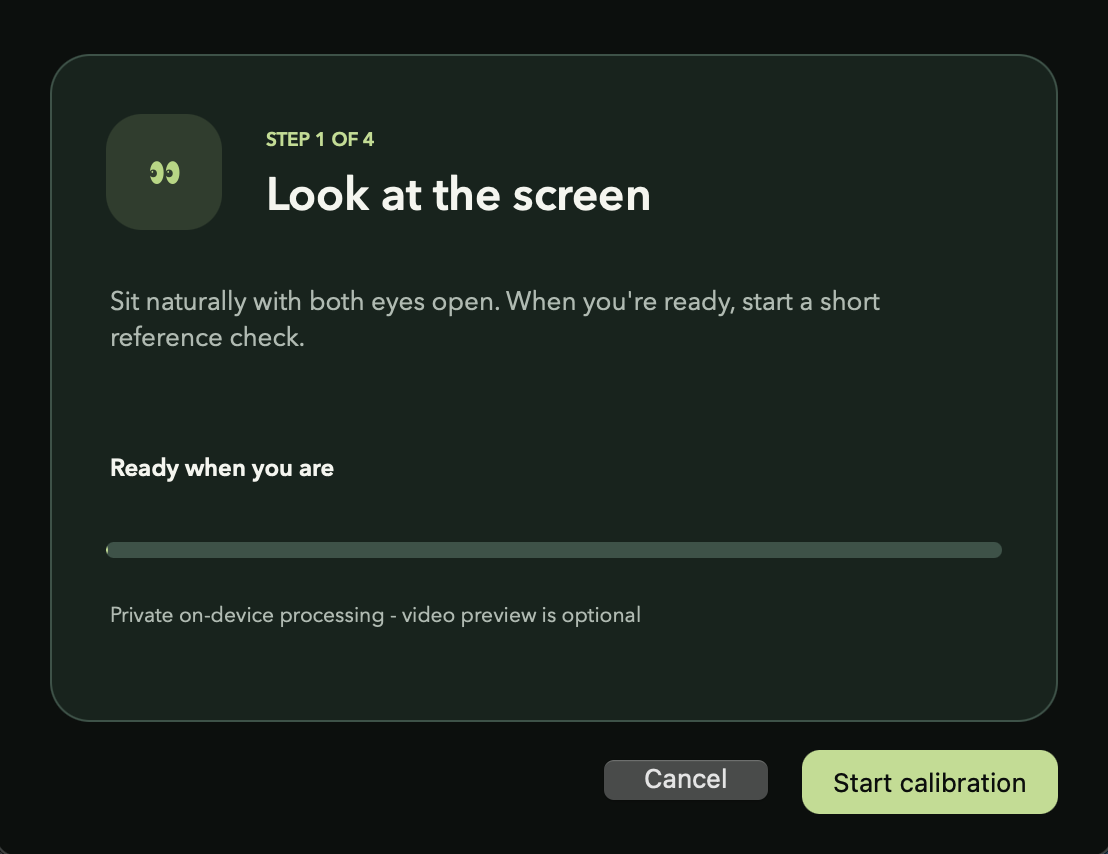
Take a short guided check to help BlinkTide understand your eyes in the current session. Everything stays local and disappears when you quit.
Camera access supports your blink reminders. Your camera images are never recorded or uploaded.
Annual access
Try BlinkTide for seven days and see how it fits into your real work routine before you decide.
After the free trial, annual access is €4.99. Purchases, billing and cancellation are handled by Apple.
Requires a Mac with Apple silicon · macOS 14 or later · No ads · No tracking · No app account · No cloud sync
BlinkTide is a productivity reminder, not intended for medical use. Blink estimates are not health measurements.